


Zepp
4.429.60K Reviews
App Specs
- Version
- 10.6.5-play
- Updated On
- License
- Free
- Downloads
- 10,000,000+
- Developer
- Zepp, Inc.
- Categories
- Sports
- Platform
- Android, iOS
Screenshots
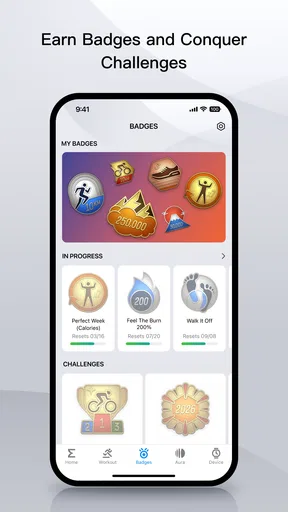
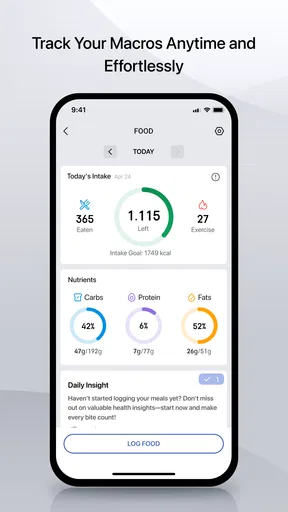
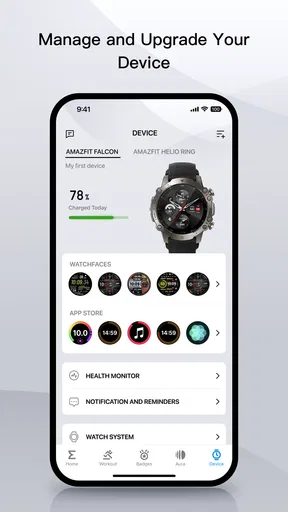
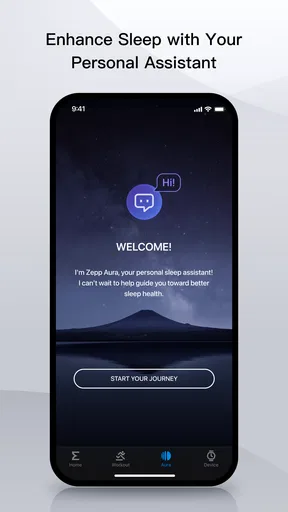
 Analysis by AppCompare
I’ve found that Zepp makes the most sense when you use it as a companion to a compatible wearable, rather than expecting a phone app to measure everything on its own. It brings activity and health information together, giving me a place to review patterns over time instead of checking a step count once and forgetting it. If you’re deciding whether to try it, the key question is less “Do I need another fitness app?” and more “Would I actually use a central record of the activity my device captures?”
Getting Started with Zepp
The first thing you’ll notice when you download Zepp is its sleek and intuitive interface. Setting it up is a breeze. Just sync your device, and you’re good to go. Whether you’re using an Android or iOS device, the app integrates seamlessly, ensuring you have all your data at your fingertips.
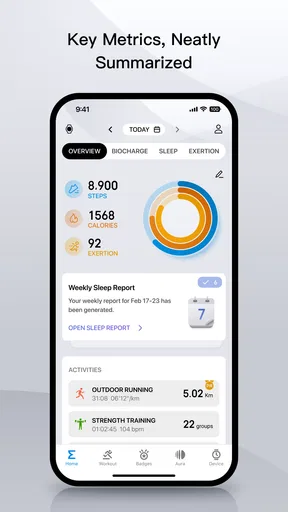
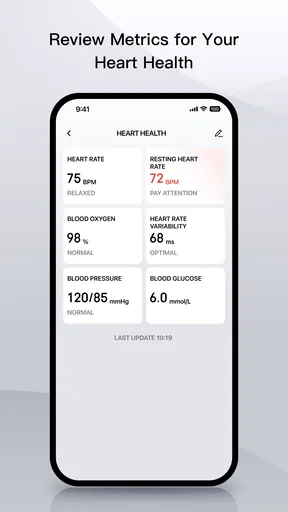
Once you dive in, you’ll find it packed with features. From tracking your steps to monitoring your heart rate and sleep patterns, Zepp covers all the bases. The app even offers a detailed breakdown of your activities, which is super helpful if you’re like me and love to nitpick every detail of your workout.
A Closer Look at Features
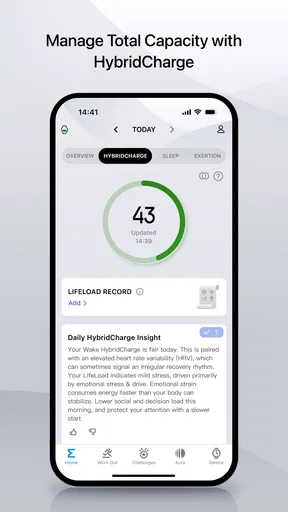
One of the standout features of Zepp is its ability to personalize your fitness journey. It analyzes your data and offers tailored insights and suggestions. This means you’re not just following a generic workout plan; you’re getting advice that’s just right for you.
Another cool feature is the app’s integration with various devices. Whether you’re using a smartwatch or a fitness band, Zepp syncs effortlessly. This makes it incredibly convenient to track your progress without having to constantly check your phone.
And let’s not forget the community aspect. Zepp offers a platform to connect with other users, share your achievements, and even challenge friends. It’s a great way to stay motivated and push yourself further.
Performance and Usability
Performance-wise, Zepp is pretty solid. It runs smoothly and doesn’t drain your battery, which is a huge plus. The app updates regularly, ensuring you have the latest features and bug fixes.
Worth Reading Before You Choose

Flipboard Shows What News Apps Must Do Beyond the Feed

Switching to Android Auto Means Rethinking Your Driving Routine

Google Calendar Makes a Crowded Week Easier to Manage

Ludo King Makes the Most of the Minutes Between Plans

Baby Panda World Brings Quick Play to Modern Phones, but Its Game Library Feels Busy

ESPN’s Live Game View Makes Following Close Games Easier
Usability is another area where Zepp shines. The app is user-friendly, with a clean layout and easy navigation. Whether you’re a tech-savvy individual or someone who prefers simplicity, you’ll find Zepp easy to use.
However, it’s worth mentioning that some features might feel overwhelming if you’re new to fitness apps. But don’t worry, you’ll get the hang of it in no time.
Making the most of your daily data
The useful part of a health dashboard is not any single reading; it is the routine of checking comparable information in context. I’d use the daily overview to spot whether a busy week has quietly reduced my movement, then look at activity details to understand which days were different. That is a more grounded way to use the app than treating every number as a score I need to beat.
A practical habit is to review sleep and activity together rather than judging either in isolation. If a night looks unusual, I would compare it with the previous few nights and with how active the day was, not assume one reading explains how I feel. Wearable measurements are best treated as clues and trends, not medical conclusions. If something concerns you, an app is not a substitute for qualified medical advice.
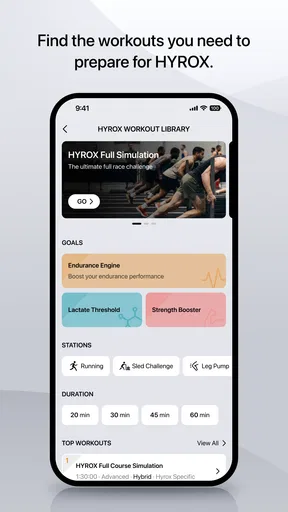
For workouts, the detail can help answer a modest but useful question: did I actually do the activity I planned, and how consistently? I would check the record after exercise, while the session is still fresh, and make a brief note for myself about anything the numbers cannot capture, such as an interrupted route or a device worn loosely. That keeps automated tracking from becoming the whole story.
A realistic routine, and a few trade-offs
Picture a normal weekday: I put on my compatible wearable in the morning, go about work without repeatedly opening the phone, and check the app later to see whether I took movement breaks and how the day’s activity compares with my usual pattern. After an evening walk, I review the recorded session and leave the phone alone until the next day. The benefit is a low-effort record; the trade-off is that the record is only as dependable as the device connection and the way I wear and charge it.
If a reading or activity entry looks incomplete, I’d first check that the wearable has synced and that it was worn as intended before drawing conclusions. A gap does not automatically mean the app has lost the whole day, and repeatedly refreshing the screen is unlikely to make the underlying sensor capture something it missed. This small troubleshooting step can prevent an ordinary sync delay from turning into unnecessary frustration.
Another helpful approach is to pick one or two things to follow at first. A new user who tries to interpret every chart, sleep estimate, activity summary, and suggestion at once can quickly feel that the app is assigning homework. I’d begin with a simple question—such as whether I’m moving regularly—and add another area only when I have a reason to look at it. The app’s breadth is an advantage when you want it, but it need not dictate a complicated routine.
Who will get the most from it?
I’d recommend it most to people who already use a compatible Zepp-connected wearable and want a single place to follow everyday activity and health trends. It suits someone who likes seeing a longer record, appreciates device-based tracking, and is willing to check information with a little context. It can also work for a beginner who wants a gentle overview, provided they do not mistake detailed screens for a requirement to optimize every part of the day.
It is less compelling if you do not own a compatible device or mainly want a manual workout log. In that case, a simpler phone-based tracker may be easier, because it avoids the extra step of pairing and maintaining a wearable. Likewise, runners or cyclists whose priority is route planning, coaching structure, or highly specialized training analysis may prefer a dedicated sports platform built around those particular needs. Zepp’s appeal is the broader personal-health view, not a promise to be the best specialist tool for every sport.
Compared with the basic activity summaries built into a phone, the main distinction is the wearable connection and the wider view of daily measurements. Compared with a sport-specific training app, the emphasis is less narrowly on one discipline. That middle ground is useful if you want everyday health tracking alongside workouts; it may feel less focused if all you want is a detailed training plan or a clean list of completed runs.
What to expect from the current app
Zepp is a sports and health app from Zepp, Inc. Its Android release, version 9.15.2-play, reflects an app that has continued to be maintained, but a version number by itself does not tell me exactly which functions changed or how a particular update will affect every device. I would check the app and wearable together after updating, especially if a feature I rely on is part of my daily routine, rather than assuming that an update changes the way all connected products work.
The app has been available since December 13, 2016, and its scale is substantial: it has passed 10 million installs and holds an average rating of 4.3 from around 1.4 million ratings. Those figures suggest that it has reached a broad audience, though they cannot tell you whether your particular wearable, phone, or preferred sport is a good match. I would give more weight to a smooth pairing experience and useful day-to-day summaries than to popularity alone.
It is free to download, with optional in-app purchases ranging from a few cents to just under ninety dollars per item. I’d treat the free experience as the sensible place to start and consider a purchase only after checking what it adds for your own routine. The app is rated for Everyone, but that age classification is not a claim that its health estimates are suitable for making medical decisions.
Where friction can show up
The biggest practical limitation is dependence on the connected device for much of the experience. A wearable can be forgotten, need charging, or fail to capture an activity as expected; the app cannot turn missing sensor information into a reliable record. Before relying on it for a personal goal, I’d make sure the device is compatible, paired, and syncing consistently, then check whether the information it presents is actually useful to me.
The range of information can also make the interface feel busier than a minimal step counter. New users may see several kinds of summaries before they know which ones matter, while people who prefer not to monitor health data closely may find the whole approach more involved than they want. I would not keep notifications or checks simply out of habit: use the parts that support a real routine and ignore the rest.
There is also a difference between encouragement and coaching. Personalized suggestions can help make a broad dashboard feel more relevant, but I would not treat them as a custom medical plan or a substitute for a trainer who understands my goals and limitations. If I were managing an injury, a health condition, or a demanding training program, I would use wearable trends as supporting context and rely on an appropriate professional for decisions.
My verdict
So, is Zepp worth downloading? Absolutely! It’s more than just a fitness app; it’s a comprehensive health tool that adapts to your needs. With its rich feature set, seamless device integration, and user-friendly interface, Zepp is definitely a must-have for anyone serious about their health.
Whether you’re a fitness newbie or a seasoned athlete, Zepp offers something for everyone. Why not give it a try and take your fitness journey to the next level?
My enthusiasm comes with one qualification: it is most convincing when the wearable and the app fit naturally into your life. If you want to notice patterns, keep a record without logging every detail by hand, and check in on activity over time, it is an easy option to try. If you want a specialist training system, medical interpretation, or a tracker that works without a compatible wearable, a more focused alternative may serve you better.
What I would watch as a user
For existing users, the most useful sign of continued improvement is not a larger list of features but dependable syncing and clearer ways to make sense of the information already collected. I would pay attention to whether familiar summaries remain easy to find after updates and whether the app continues to work reliably with my device. Those are practical measures of progress that matter more than novelty for its own sake.
For someone considering a first download, my advice is to begin with a small trial of your actual routine: pair the device, wear it as you normally would, and see whether the resulting record answers a question you care about. If it does, build from there; if you find yourself opening charts without learning anything useful, you may be better served by a simpler tracker. That is the fairest test of whether this broad health companion earns a place on your phone.
Pros
- User-friendly interface with intuitive navigation.
- Comprehensive health and fitness tracking.
- Customizable notifications and reminders.
- Seamless integration with multiple devices.
- Detailed sleep and activity analysis.
Cons
- Limited compatibility with older devices.
- Occasional sync issues with certain trackers.
- Some features require premium subscription.
- In-app ads can be intrusive at times.
- Battery consumption is higher than expected.
FAQs for Zepp
What features does the Zepp app offer for fitness tracking?
The Zepp app provides comprehensive fitness tracking features, including step counting, heart rate monitoring, sleep analysis, and various sports modes. It also offers personalized workout recommendations and tracks your progress over time. The app syncs with compatible devices for real-time data and insights to help you reach your fitness goals.
Is the Zepp app compatible with all smartphones and wearable devices?
The Zepp app is compatible with most Android and iOS devices. However, for the best experience, it's recommended to check if your smartphone's operating system version meets the app’s requirements. Additionally, the app supports a variety of Zepp and Amazfit wearable devices, ensuring seamless connectivity and data synchronization.
Does the Zepp app require a subscription for full access to its features?
While the Zepp app is free to download and offers numerous features at no cost, some advanced functionalities may require a subscription. These could include premium workout plans or additional customization options. However, the basic fitness tracking features are typically available for free, providing significant value without a subscription.
How does Zepp ensure the privacy and security of my personal data?
Zepp prioritizes user privacy and data security by implementing robust encryption protocols and secure data storage practices. The app allows users to control their data settings, and personal information is only shared with third parties with your explicit consent. Regular updates also ensure compliance with the latest security standards.
Can I use the Zepp app without a wearable device?
Yes, you can use the Zepp app without a wearable device, but some features might be limited. The app can track basic activities using your smartphone's sensors, such as steps and distance. For more detailed health metrics like heart rate or sleep patterns, pairing with a compatible Zepp or Amazfit wearable is recommended.


